You connect GHL to Claude by making a private integration token inside 1 sub-account, choosing what that token is allowed to touch, grabbing the location ID, and pasting both into Claude. It is official, it is free on any plan, and it takes about 10 minutes.
Here is the part nobody mentions. It connects 1 client at a time. So if you run 20 clients, you just signed up for 20 separate connections to keep straight.
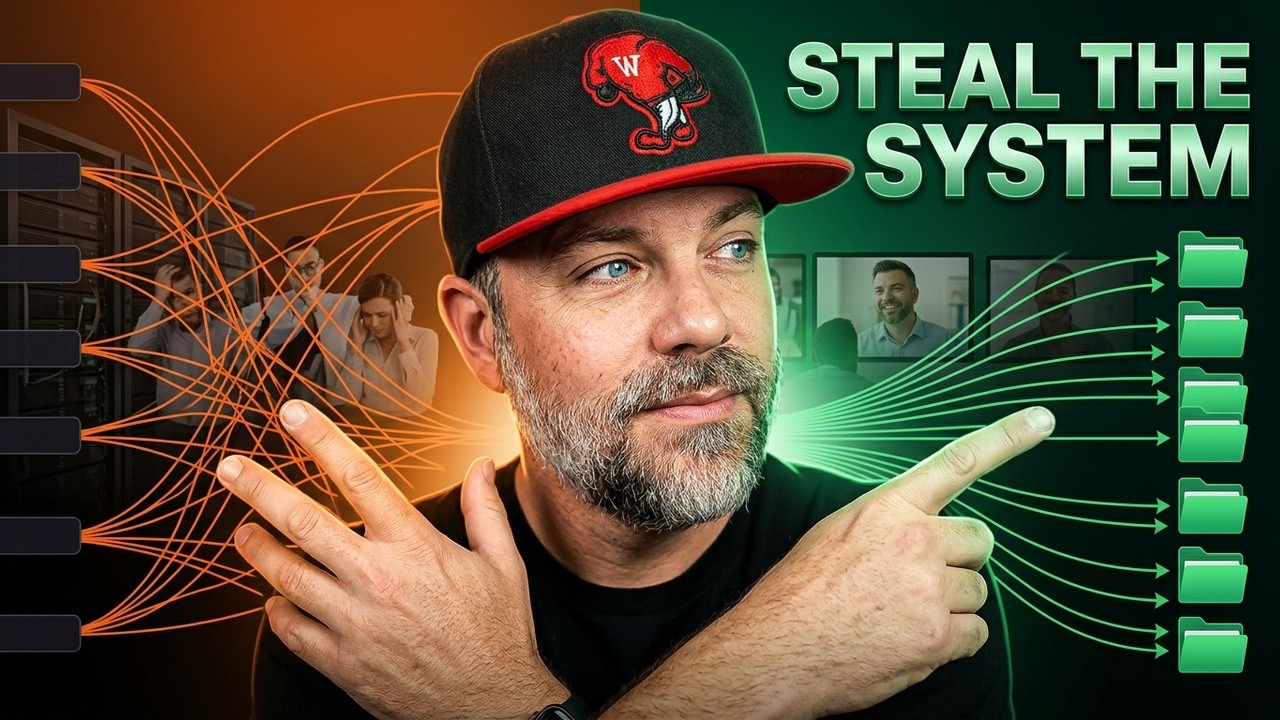
Every guide ranking for this covers those 10 minutes. Not 1 of them covers day 20.
How do you connect GHL to Claude?
4 steps, and HighLevel documents all of it themselves in their own setup article:
- Open the sub-account you want to connect. Settings, then Private Integrations.
- Create a new integration and name it something you will recognize in 3 months.
- Tick only the permissions you actually need. Contacts, calendars, conversations, pipelines.
- Copy the token and the location ID, then paste them into Claude Code.
That is the whole thing. Give it a real instruction in plain English and it reads your contacts back to you.
None of what follows is a dig at GoHighLevel. They opened this up, they wrote the docs, and they published the limits in the open. That is a good thing and it is more than most platforms do. The traps are not theirs. They are what happens when you connect before you have anything keeping track.
Why does it only connect 1 client at a time?
Because the token is scoped to 1 sub-account. There is no agency wide connection.
So 20 clients means 20 tokens and 20 sets of permissions. And nothing in the tool remembers which is which.
You do.
Now stack the thing half the internet is selling you on top of it. If you run 7 agents against 20 clients, that is 140 connections between things that do not talk to each other.
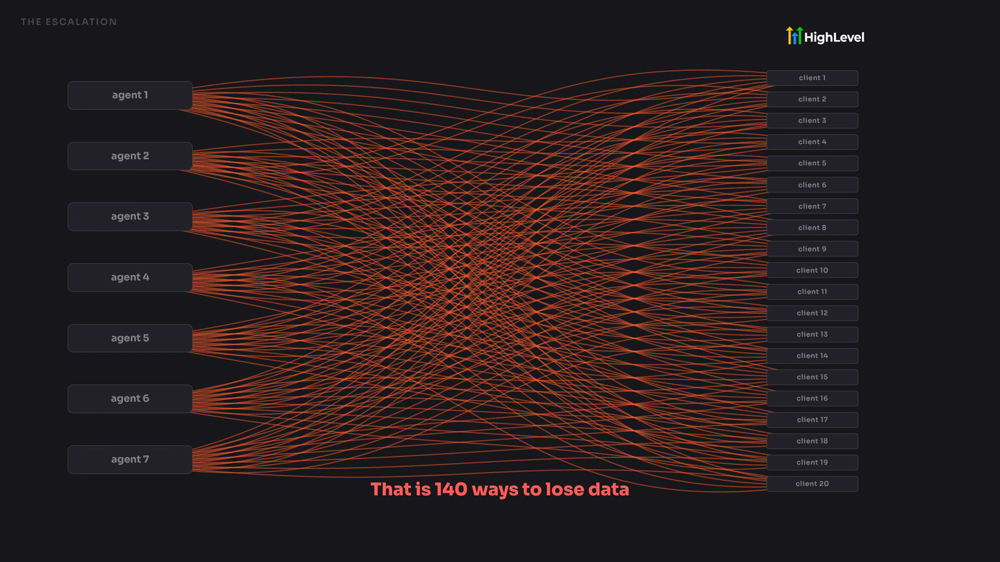
That is 140 ways to lose data, burn tokens, and make yourself more work. If that picture looks familiar, the multi agent workflow problem is the same disease wearing a different coat.
What are the 5 things nobody plans for?
Every one of these is documented by HighLevel, in public, by them. They are just things no tutorial tells you to plan for.
1. It is 1 client at a time. Covered above. The connection takes 10 minutes. The keeping track is the whole job.
2. It can read your workflows. It cannot build them. It will describe a workflow back to you in detail. It cannot create one and it cannot change one. So if somebody sold you on AI running your CRM, that is not the thing that shipped.
3. You have a choice nobody told you about. The official connection gives you 36 tools. There is a community built one on GitHub that gives you 269. Free software somebody built for the room, and good on them for building it. But handing anything wider access to the account that holds every client you have is a real decision, and nobody is telling you the decision exists.
4. When it cannot find something, you go get it. Ask it to book on a calendar and it may not match that calendar by name. So you stop what you are doing, go find the ID, and hand it over. You are the errand boy again.
5. It starts fast and gets told to slow down. HighLevel's developer docs put it at 100 requests every 10 seconds and 200,000 per day, both per sub-account, so they do not pool across your clients. The daily number is generous. The 10 second one is what actually stops you, because a session fires a burst the moment it wakes up, and there is no automatic retry. It just stops. Then you find out from the client. The wider picture on GoHighLevel's API limits sits in its own post.
Look at that list again. Not 1 of those is a software problem. Every single one is a keeping track problem.
What should you do before you connect?
Build the thing that keeps track first. It is boring and it takes about 20 minutes.
- 1 worker. Not 7. I call mine Fred.
- 1 map. A single page that says what lives where. He reads it every time, and that repetition is the whole mechanism.
- 1 folder per client, named so a human can read it.
- 1 file inside each folder that says who they are, what they bought, what the connection is allowed to touch, and what happened last time.
- The put back step. When the job is done, it goes back in the folder. This is the one everybody skips and it is the reason systems rot.
Do that and the 20 connections become 20 folders.
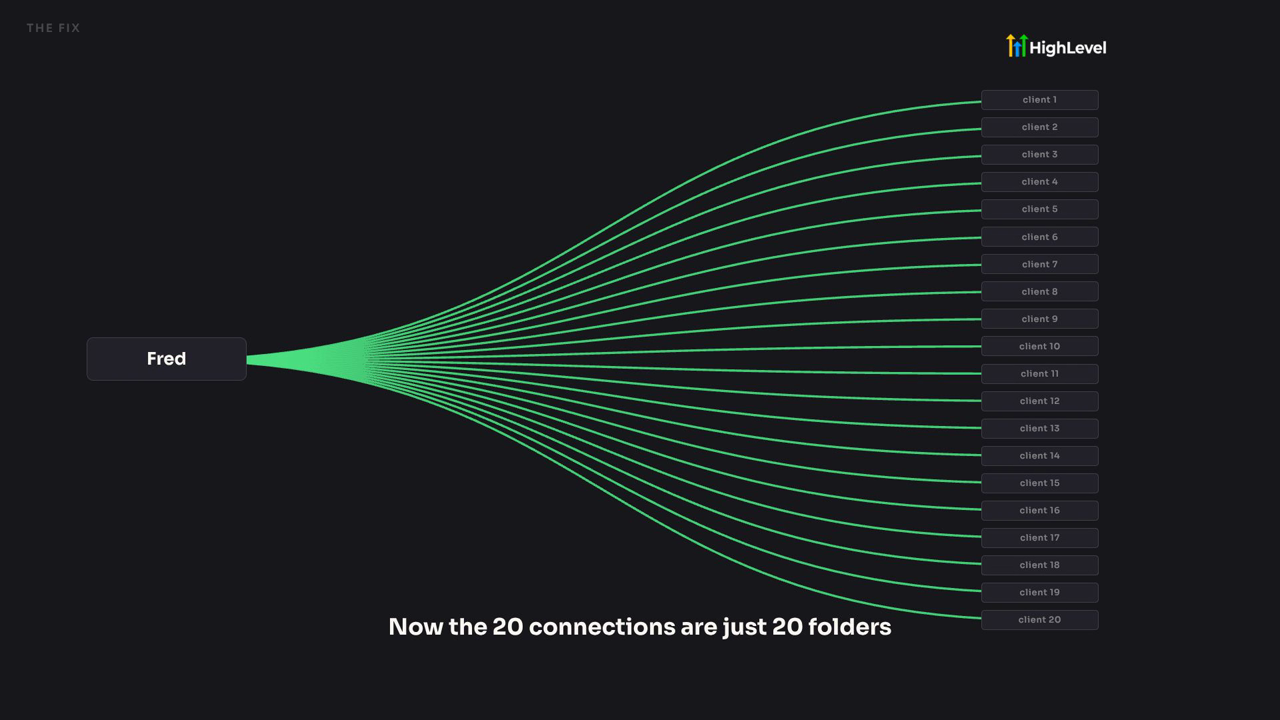
Same 20 clients. Same platform. The difference is that something other than your memory knows which is which. You can watch that shot land at 4:16 in the video.
This structure is not my idea. It is Jake Van Clief's ICM folder system, documented in the Interpretable Context Methodology paper. I am just the guy who runs it in public.
Is it worth connecting at all?
Yes. Connect it. It is genuinely useful and it costs you nothing but 10 minutes.
Just do it in the right order. Set up first, then connect. Going the other way is how you end up with 20 half remembered connections and a client telling you something stopped working.
Boring wins here. A folder with a plain name beats a clever setup that only you can hold in your head, and it keeps beating it at client 5, client 12, and client 20.
Where to get the folder system free
Everything above is at filesnfolders.com. There is a short video at the top, about 3 minutes, and 1 box under it for your email. You get the map, the desk file, the folder skeleton, and a 1 page setup sheet. It takes about 20 minutes to set up, then you point Claude Code at it and go tinker.
No card. No call. It is files and folders, and I am not charging anybody for a folder structure.
If you want the rest of what I build in the open, that lives at buildmarketclose.com.